Die Vorschauseite
Die Vorschau schickt einen erfundenen Warenkorb durch Ihr echtes Setup — im Adminbereich, ohne eine Bestellung anzulegen. Sie ist der schnellste Weg zur Antwort auf „Warum wird diesem Kunden der Kurier nicht angeboten?", denn sie zeigt je Regel, welches Kriterium gescheitert ist.
So nutzen Sie die Vorschau
- Öffnen Sie in der App Vorschau.
- Geben Sie das Ziel ein: PLZ und Land.
- Fügen Sie Produkte über die Shopify-Produktauswahl hinzu und setzen Sie die Mengen.
- (Optional) Hinterlegen Sie je Produkt Line-Item-Properties — für Volumen, Länge oder ein eigenes Gewicht.
- (Optional) Tragen Sie Kunden-Tags als kommagetrennte Liste ein, falls Ihre Regeln sie nutzen.
- Klicken Sie auf Vorschau starten.
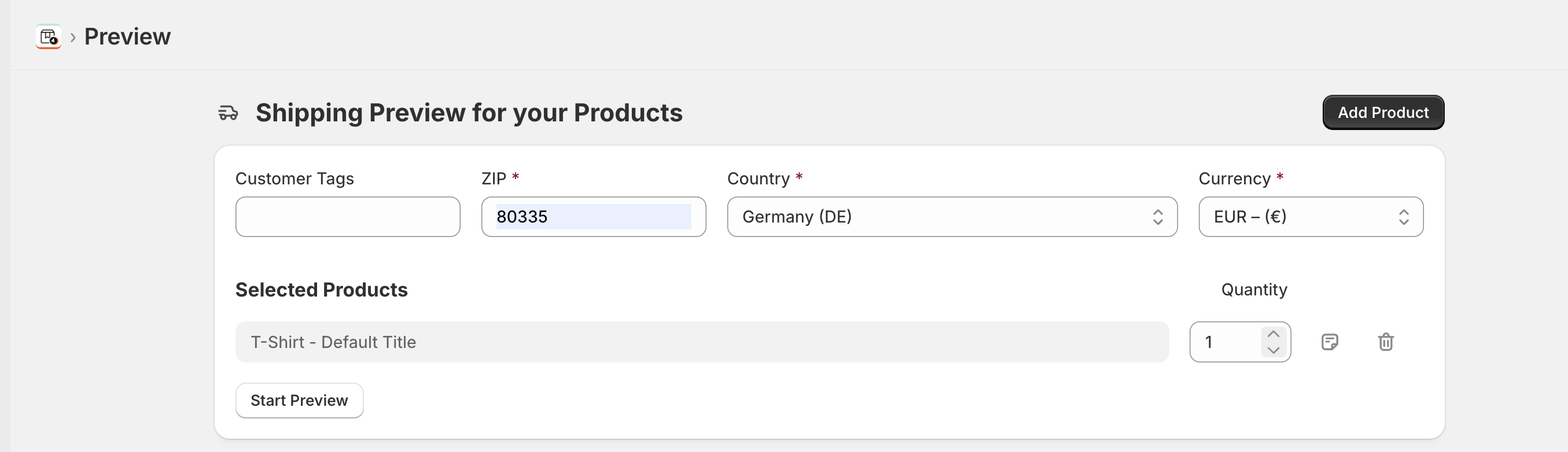
Gerechnet wird in der Währung Ihres Shops; es gibt nichts auszuwählen. Regeln betrachten ausschließlich das Ziel, nie den Versandort.
Das Ergebnis lesen
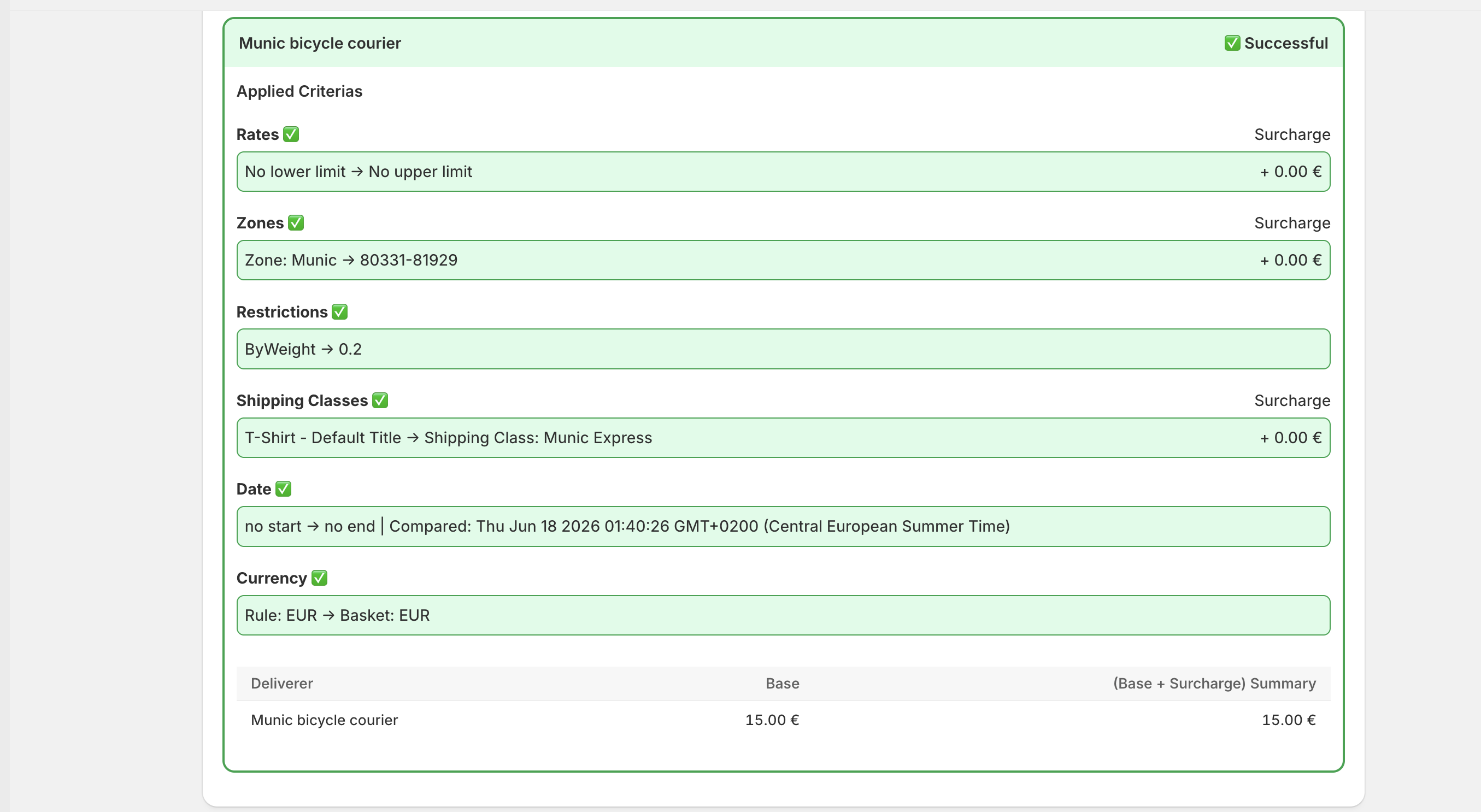
- Grün / rot je Regel — ob die Regel Kandidat ist oder übersprungen wurde.
- Kriterium für Kriterium — Datum, Klassen, Zonen, Tarifstaffeln und Einschränkungsgruppen,
jeweils mit dem verglichenen Wert. Eine rote Zonenzeile zeigt
no match, eine rote Klassenzeile zeigt, welches Produkt welche Klasse trägt. - Gelbe Zonenzeilen — die Zone passt, aber eine spezifischere Zone zahlt den Zuschlag (siehe Zonenpriorität).
- Eine Regel, die bestanden hat, aber an der Priorität verlor, wird eingeklappt gezeigt — mit Mehr anzeigen aufklappen.
- Kostentabelle — die Methoden, die angeboten würden, mit Basiskosten und Endpreis je Methode.
Was die Vorschau nicht zeigt
| Plan-Grenzen | Die Vorschau ignoriert sie. Sie funktioniert im Free-Plan vollständig und setzt die 3-Regel-Grenze von Basic nicht durch. Ein Warenkorb, der hier funktioniert, kann im Live-Checkout trotzdem leer bleiben — siehe Pläne & Preise. |
| Ob Shopify die App erreicht | Die Vorschau ruft die Berechnung direkt auf. Um die Verbindung selbst zu prüfen, nutzen Sie den Ratentest in der Fehlerbehebung. |
| Andere Versandoptionen | Bewertet werden nur die Regeln dieser App, nicht die Pauschaltarife, die Sie eventuell in Shopify hinterlegt haben. |