The preview page
The preview runs a made-up cart through your real setup, in the admin, without placing an order. It is the fastest way to answer "why is this customer not offered the courier?" — because it tells you which criterion failed, per rule.
How to use the preview
- Open Preview in the app.
- Enter the destination: postal code and country.
- Add products through the Shopify product picker and set their quantities.
- (Optional) Add line item properties per product — for volume, length or a custom weight.
- (Optional) Enter customer tags as a comma-separated list, if your rules use them.
- Click Start preview.
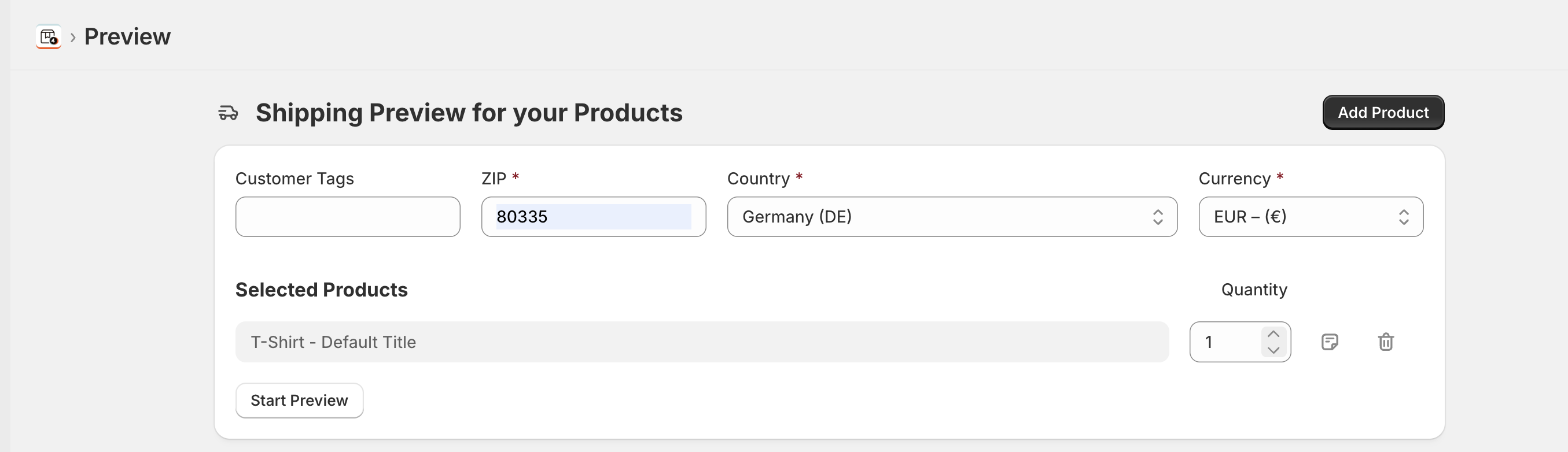
The cart is priced in your store currency; there is nothing to choose. Rules only look at the destination, never at where you ship from.
Reading the result
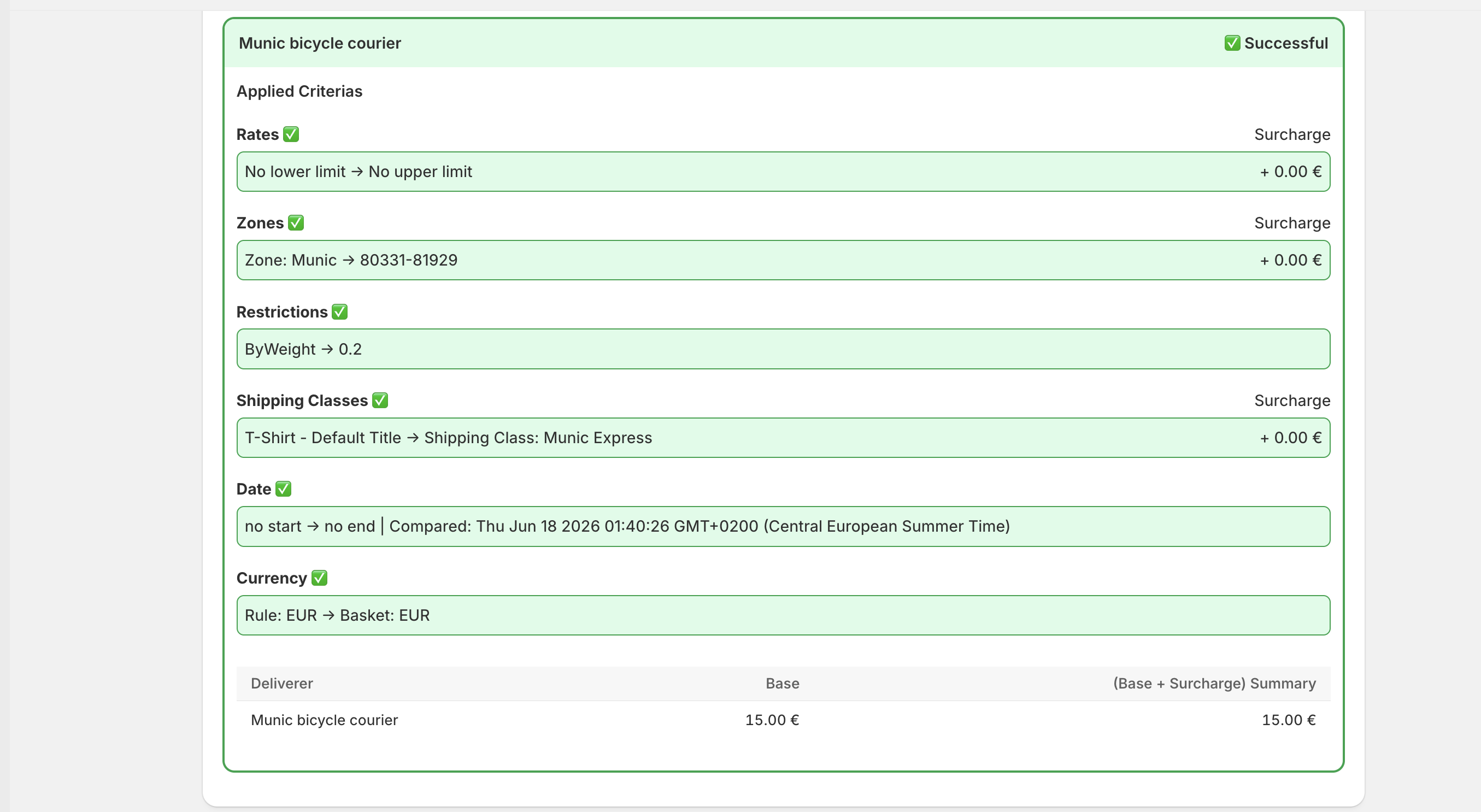
- Green / red per rule — whether the rule is a candidate or was skipped.
- Criterion by criterion — date, classes, zones, rate tiers and restriction groups, each with
the value that was compared. A red zone row shows
no match, a red class row shows which product has which class. - Yellow zone rows — the zone matched, but a more specific zone is the one paying the surcharge (see zone priority).
- A rule that passed but lost on priority is shown collapsed — expand it with Show more.
- Cost table — the methods that would be offered, with base cost and total per method.
What the preview does not tell you
| Plan limits | The preview ignores them. It works fully on the Free plan, and it does not enforce the 3-rule limit of Basic. A cart that works here can still come up empty in a live checkout — see Plans & pricing. |
| Whether Shopify reaches the app | The preview calls the calculation directly. To test the connection itself, use the rate test in Troubleshooting. |
| Other shipping options | Only this app's rules are evaluated, not the flat rates you may have configured in Shopify. |