Quick start
This walkthrough builds one complete rule: a bicycle courier for the Munich city area, delivering within two hours, limited to carts up to 5 kg, for a flat €15.
A rule only ever applies if it has at least one shipping class, at least one zone or country, and at least one rate tier. A rule missing any of the three never applies — no matter how well the rest is configured. Restrictions and dates are optional.
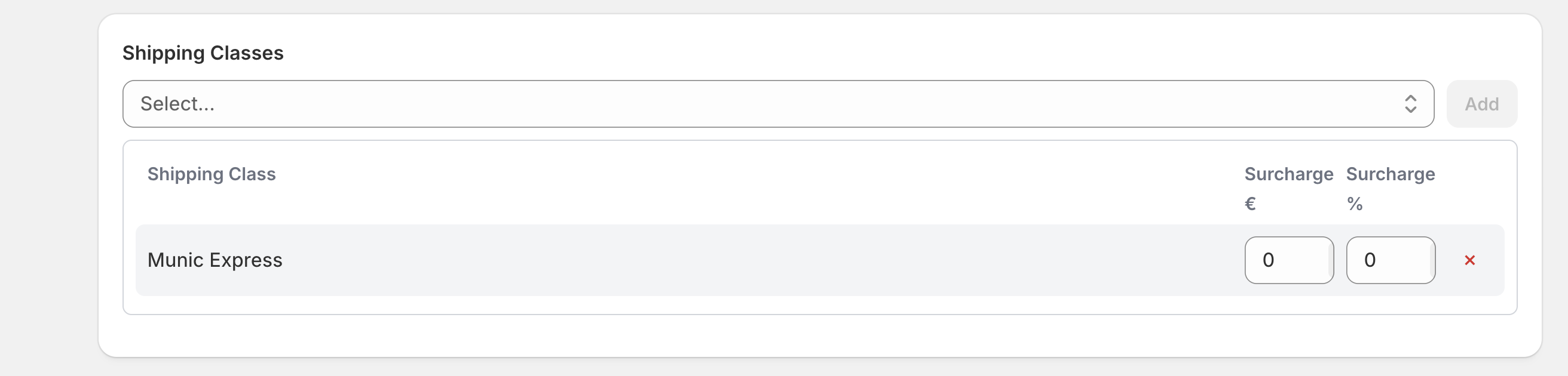
1. Create shipping classes
Shipping classes group your products (for example Standard, Fragile, Bulky goods). You
define the class names in the app and then assign them to products in your Shopify admin using
the forsellers.shipping_class metafield.
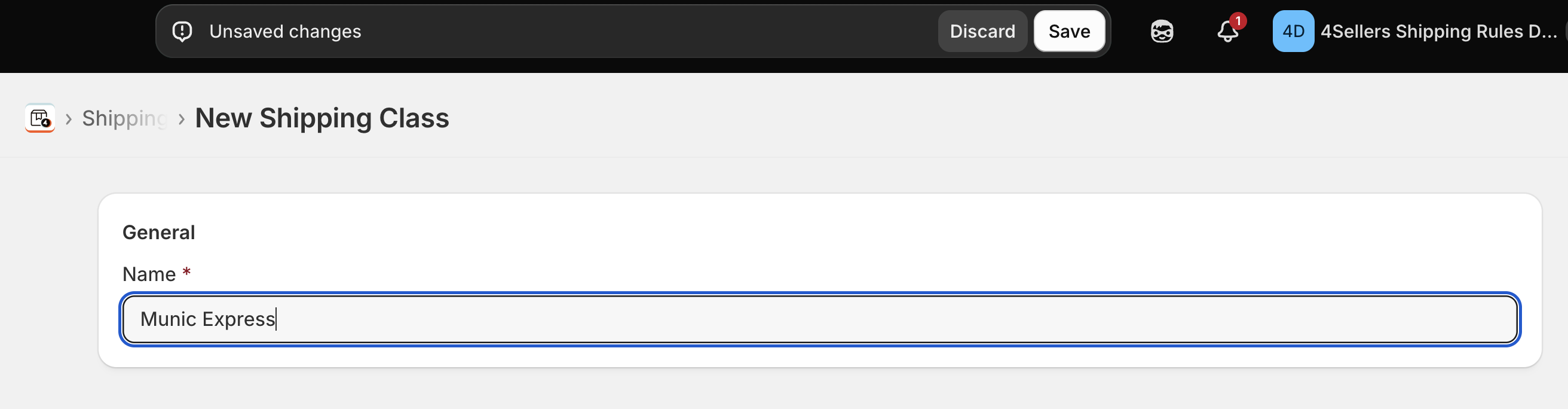
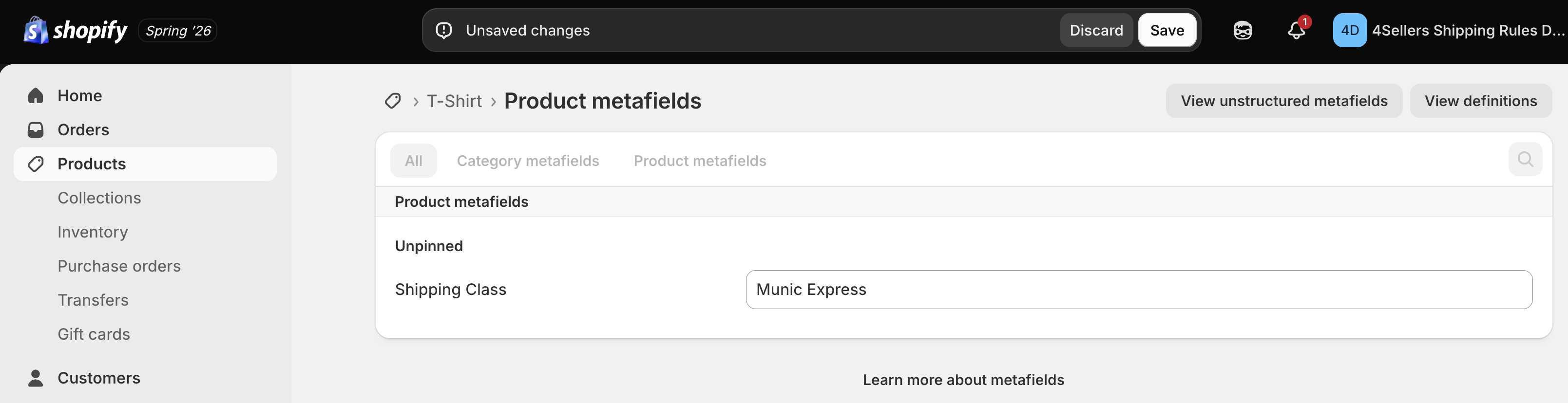
For this example one class named Standard is enough — assign it to every product that the
courier is allowed to carry.
2. Create shipping methods
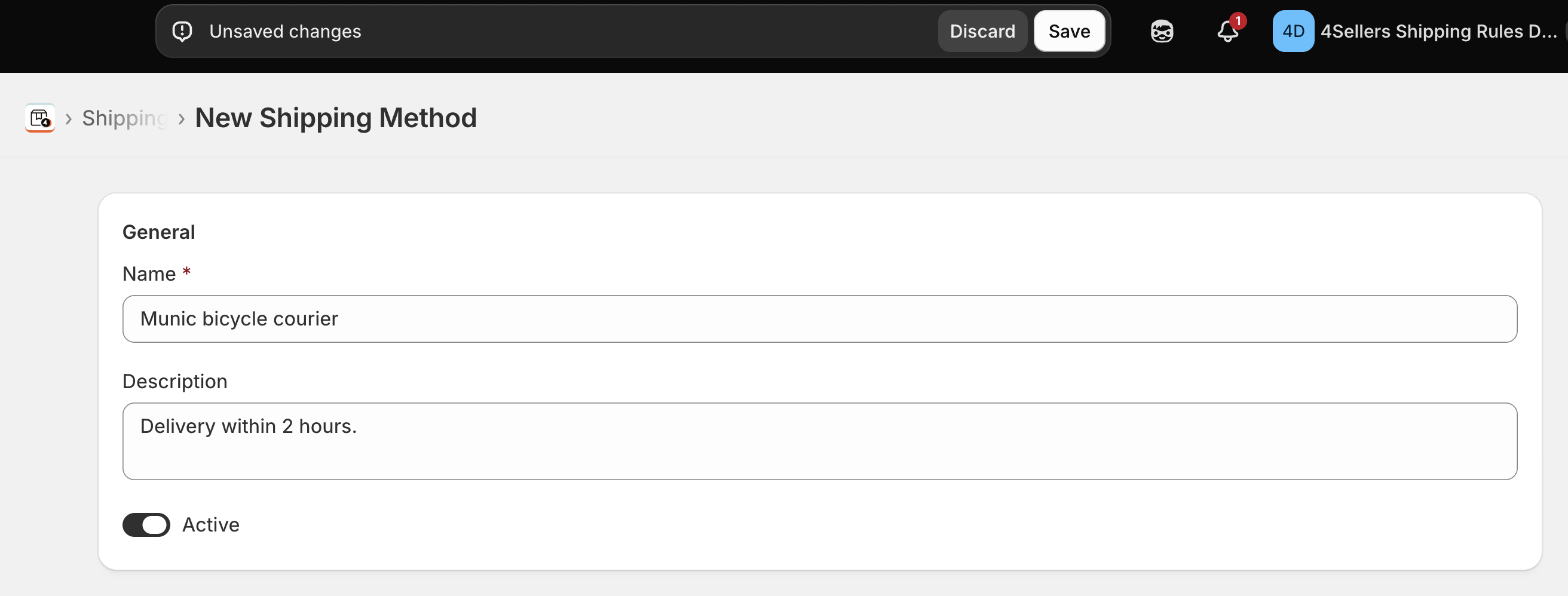
Shipping methods are the options your customers see at checkout. Create one named
Munich bicycle courier, 2 hours. Leave it active; inactive methods are ignored everywhere.
After saving, the app syncs the method into the General profile of your Shopify shipping settings so the checkout can reach it.
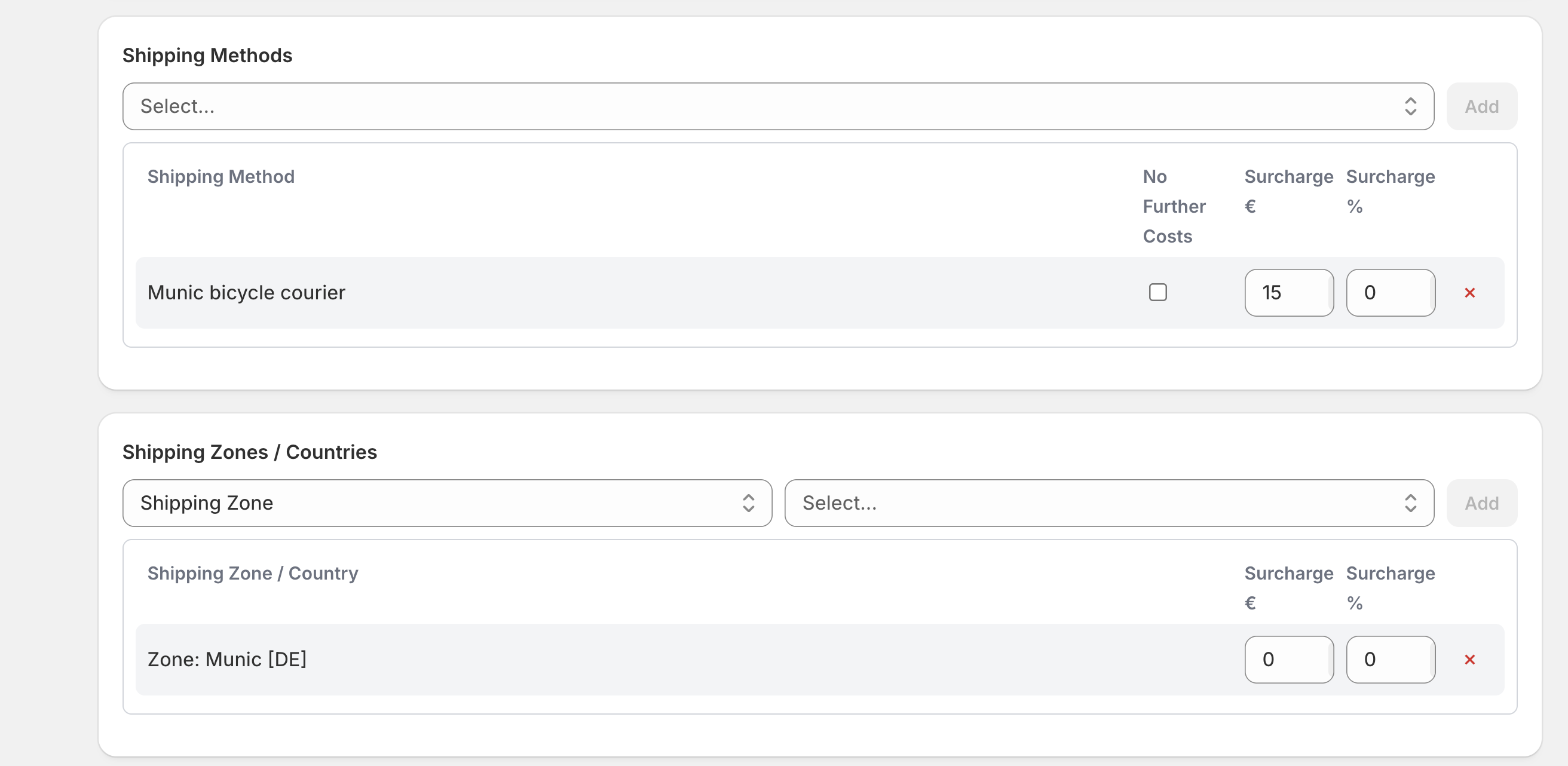
3. Create shipping zones
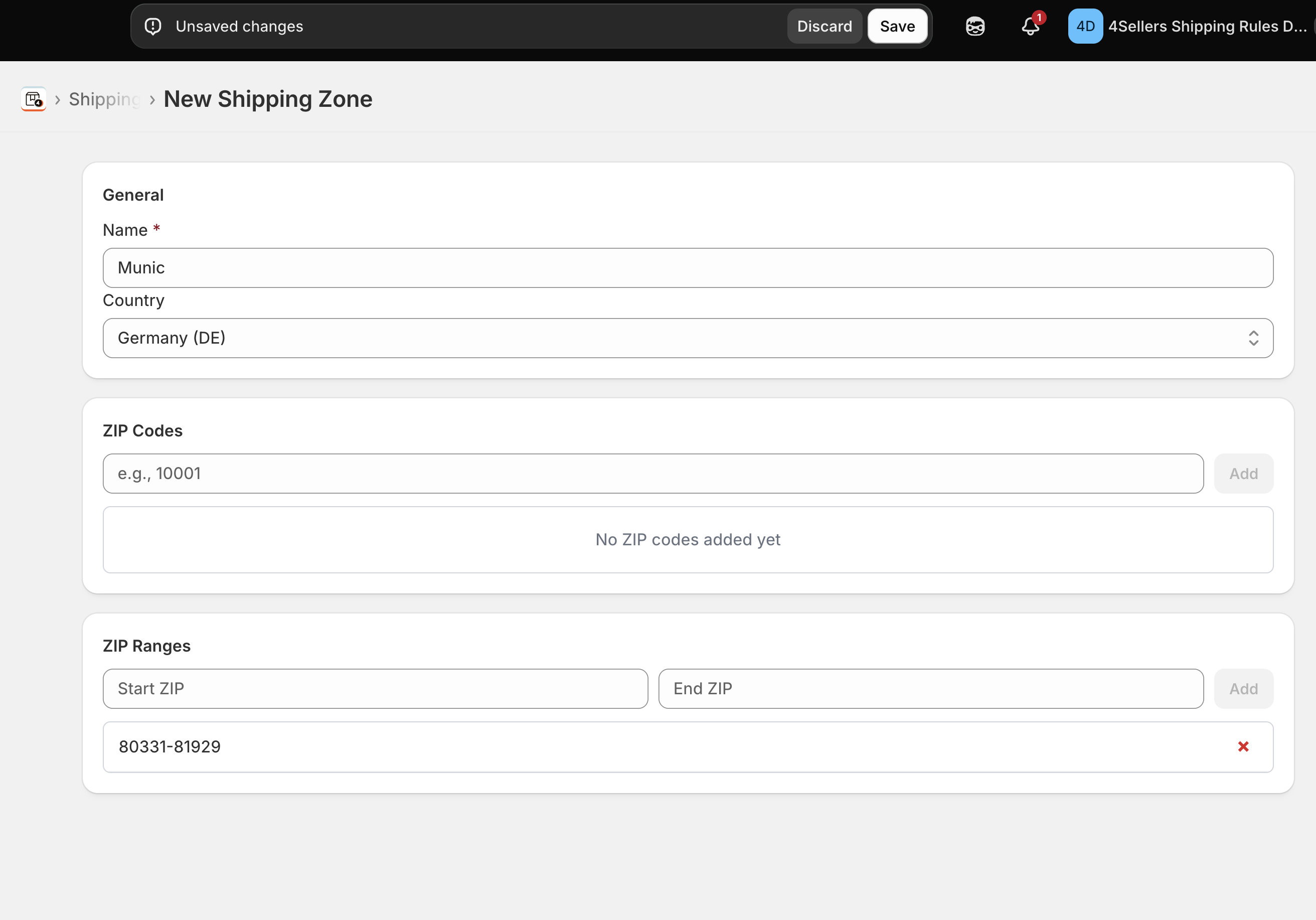
Zones define where you ship. Create a zone named Munich restricted to country Germany
and add the postal code range 80331 – 81929.
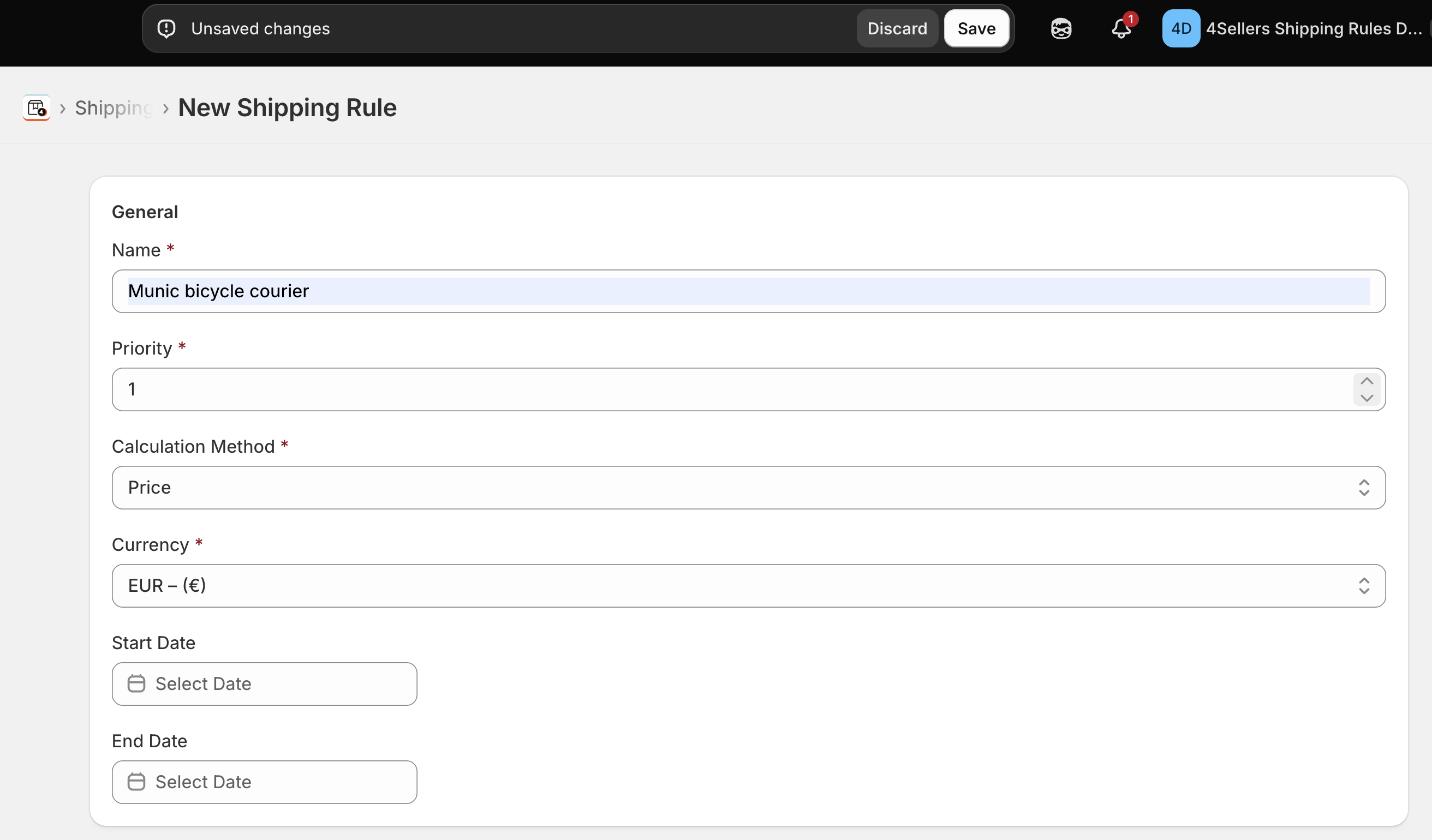
4. Create the shipping rule
The rule ties everything together.
| Setting | Value for this example |
|---|---|
| Name | Munich bicycle courier |
| Priority | 10 — lower numbers win over higher ones |
| Calculation method | Weight |
| Unit | kg |
| Shipping classes | Standard |
| Zones | the Munich zone |
| Methods | Munich bicycle courier, 2 hours |
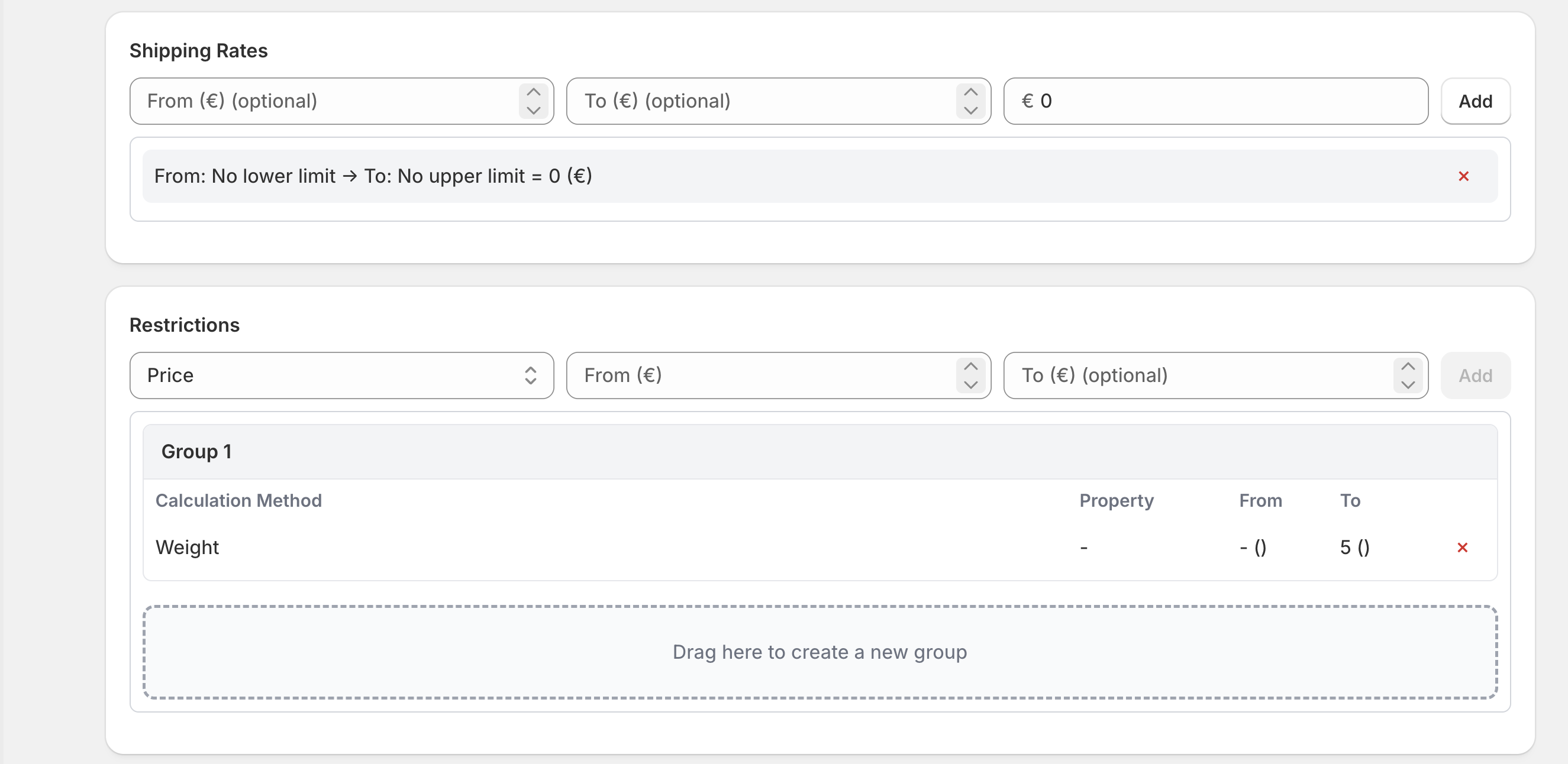
| Rate tiers | from (empty) to 5 → price 15 |
The rate tier does double duty here: it sets the €15 price and enforces the 5 kg limit. A 6 kg cart falls outside every tier, so the rule does not apply and the courier is not offered.
5. Test the rule before going live
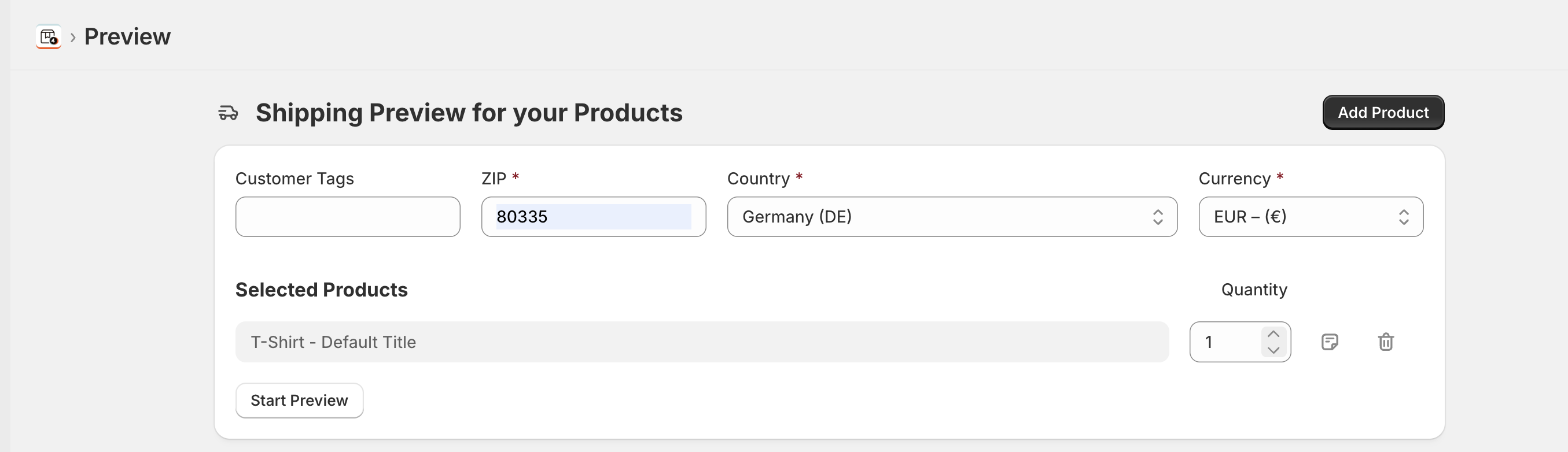
Open Preview, enter postal code 80331, country Germany, and add a product that carries the
Standard class. The preview lists every rule and shows, criterion by criterion, which ones
passed.
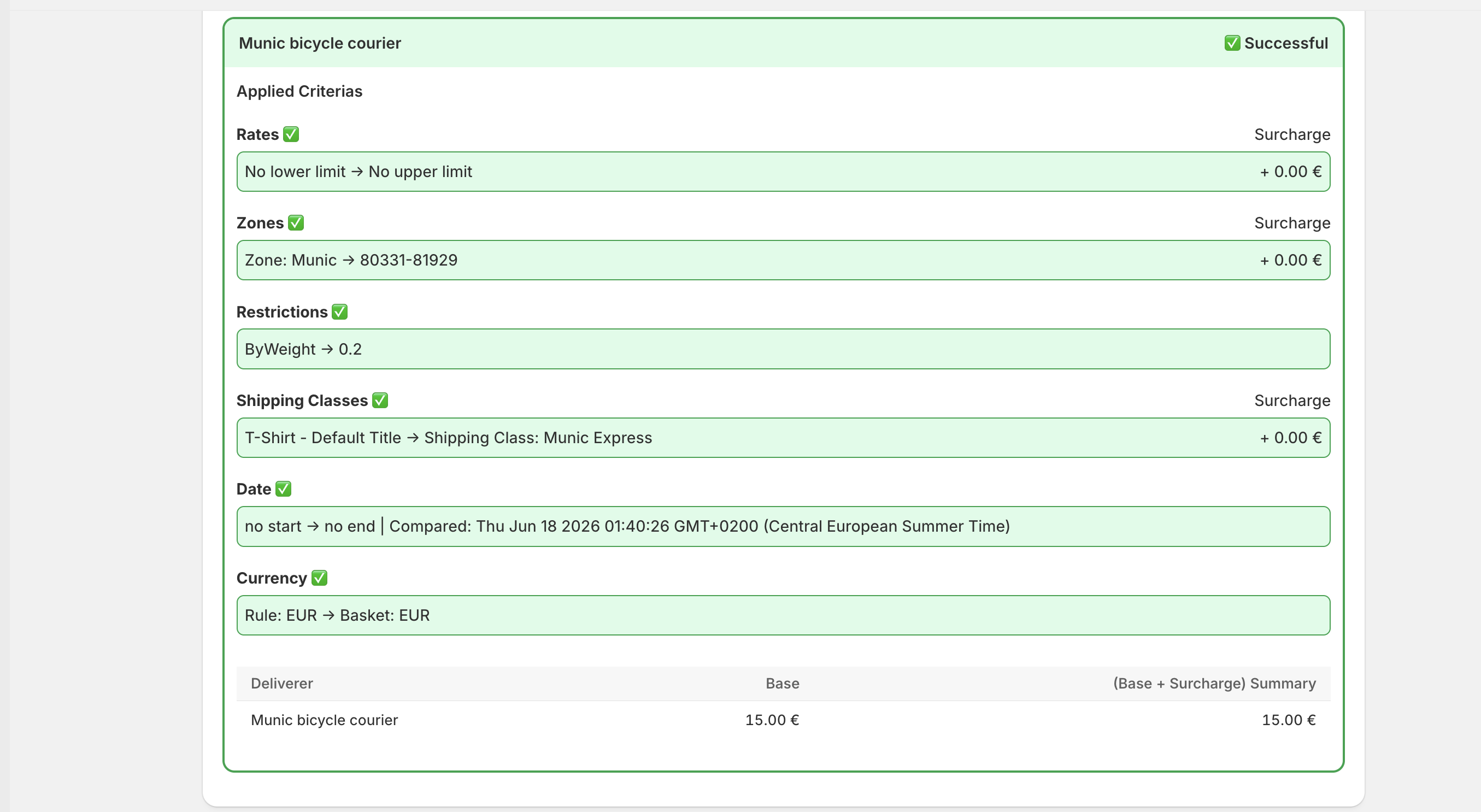
The preview works on every plan, including Free — so you can build and verify your whole setup before you pay anything.
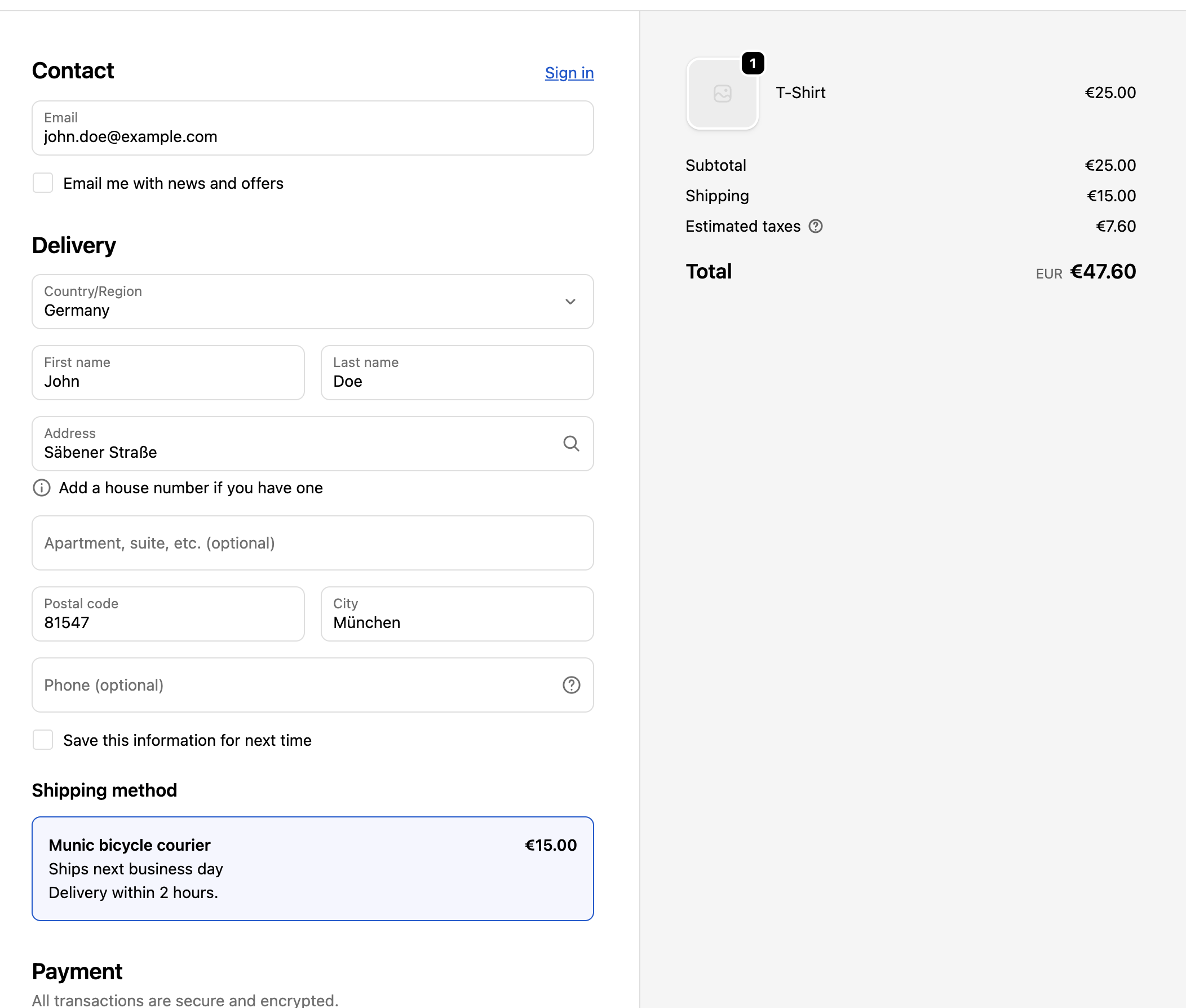
6. Check the storefront checkout
Tip: Rules, zones and methods can be duplicated. On a detail page, click Copy next to Delete to use the current configuration as a template for a new entry.