Product preview
The Product preview shows you which attributes a customer actually sees for a specific variant – before you even look at the storefront. This lets you quickly check whether an import or ERP sync produced the intended result.
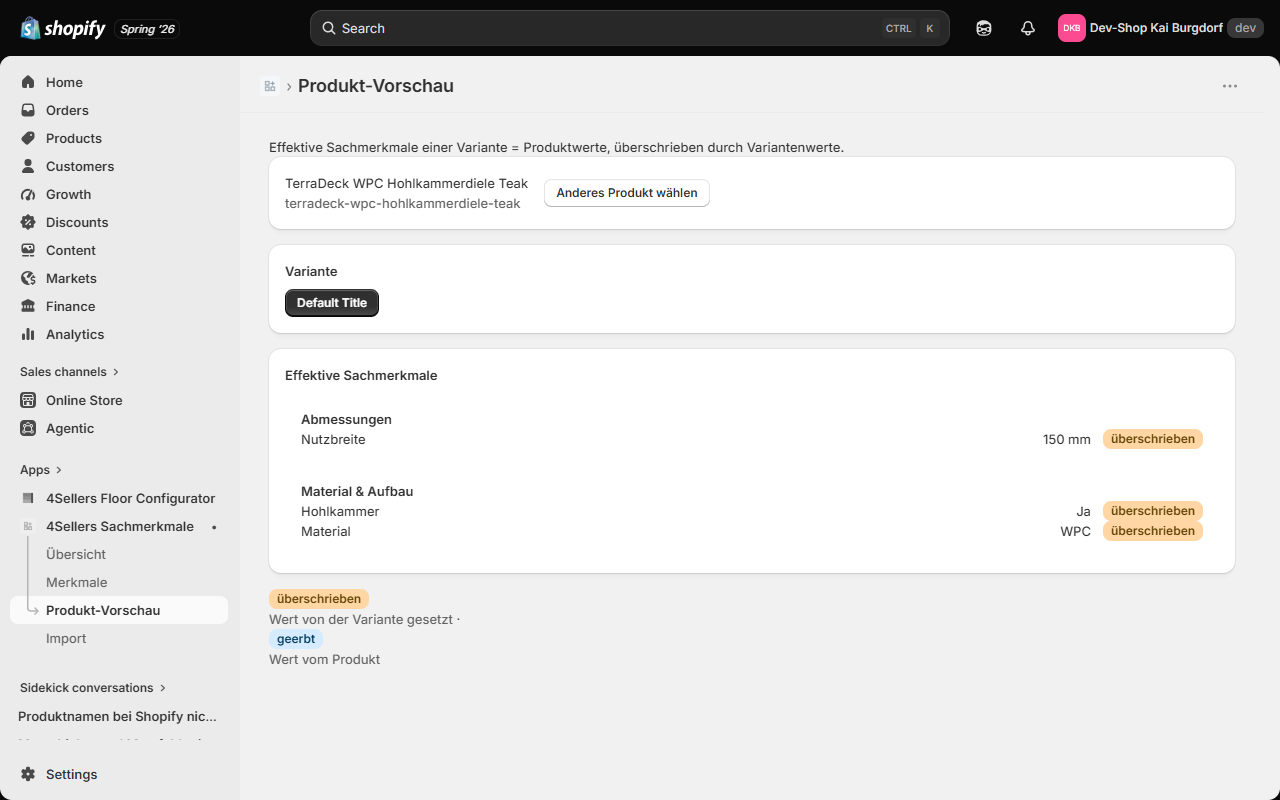
Choose a product
- Open the Product preview area.
- Click Choose product and pick your product.
- Use the buttons to switch between the product's variants.
Effective attributes: inherited and overridden
The displayed list is the effective state of a variant. It results from two levels:
- Product values apply to all variants – they are inherited by the variant.
- Variant values apply only to the respective variant – they override the product value of the same attribute.
In the preview, each entry is marked accordingly:
| Marking | Meaning |
|---|---|
| inherited | The value comes from the product and applies to this variant. |
| overridden | The variant has its own value that replaces the product value. |
The attributes are grouped by category – exactly as they will appear in the storefront.
Why use the preview?
- Verification after an Import or ERP sync.
- Checking that variant values override correctly.
- Making sure inactive attributes do not appear as expected.
If a variant shows "No attributes", neither the product nor the variant has assigned, active attributes. See Troubleshooting.